Set up MyTax & MyInvois before connecting JomeInvoice
Last reviewed: 2026-06-26
Scope: How to prepare MyTax and MyInvois before connecting JomeInvoice.
JomeInvoice does not submit invoices to LHDN under its own name. It submits on your behalf - using credentials and authorizations you set up first in LHDN's MyTax and MyInvois portals. This is the pre-work that must happen before JomeInvoice can do anything.
This article walks through the four things you do in MyTax/MyInvois before ever opening JomeInvoice: create a MyTax account, register your company, (optionally) appoint a staff representative, and add JomeInvoice as your Intermediary in MyInvois.
A Director or owner of the company must do these steps - the MyTax account is linked to their NRIC. Staff can be delegated later, but the initial registration must come from the Director.
Which environment to use
- Testing environment -
https://preprod-mytax.hasil.gov.my- for trying things out without affecting real tax records - Live environment -
https://mytax.hasil.gov.my- for real submissions
If you're doing initial setup for a live business, go straight to the Live environment.
Step 1 - Create your MyTax account
-
Open the MyTax home page
Go to
mytax.hasil.gov.my(or the testing URL if you're trialing). -
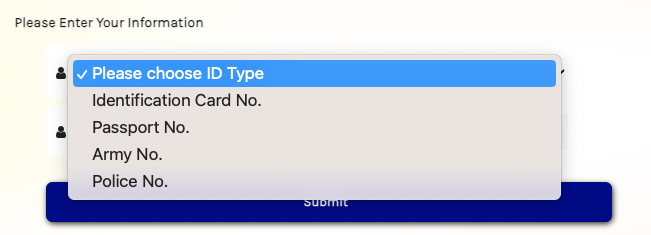
Select your preferred ID Type and submit
Pick your ID type (typically NRIC for Malaysians) and click Submit.
- Follow the email verification You'll receive an email with a verification link. Click it. You're redirected back to MyTax (or the MyInvois testing environment if using testing URLs) to set your password.
- Set password and log in After setting your password, click OK to log into your account. You're now in MyTax as an individual.
Step 2 - Register your company in MyTax
You've created a MyTax account for yourself. Now you need to register your company so MyTax knows you're acting on its behalf.
Inside MyTax, navigate to the company registration flow. You'll be asked to upload supporting documents - most importantly, the Particulars of Directors from SSM (a sample is available on the SSM website at ssm-einfo.my).
LHDN approval typically takes 3-5 business days. Do this step early - you cannot proceed to MyInvois until your company is approved.
Step 3 - Appoint a Company Representative (optional)
This step is optional. If you (the Director) want to handle e-invoicing yourself, skip ahead. If you want a staff member to manage e-invoicing on the company's behalf, appoint them as Company Representative.
- Log into MyTax as the Director
- Switch to your Director / Business Owner role Under Role Selection, click your company name to switch from your individual role to your Director or Business Owner role for the company.
- Add staff as representative Navigate to the representative settings and add the staff member's NRIC. They'll now be able to access MyInvois for this company.
Step 4 - Create your MyInvois account
Once your company is approved in MyTax and you've optionally appointed a representative, you can access MyInvois. From the MyTax dashboard, click the MyInvois option.
This creates your MyInvois profile, linked to your company's TIN. There's no separate password - MyInvois access flows from MyTax authorization.
Step 5 - Add JomeInvoice as your Intermediary
This is the final step before you can use JomeInvoice. "Intermediary" is the LHDN term for any third-party system that submits e-invoices on your behalf. JomeInvoice is one such Intermediary, and you must explicitly authorize it inside MyInvois.
This step is detailed in its own article - see Adding JomeInvoice as Intermediary.
Note your TIN format
While you're in MyTax/MyInvois, note your TIN exactly as LHDN has it. The prefix depends on entity type and you'll enter it inside JomeInvoice later:
| Entity type | TIN format | Example |
|---|---|---|
| Company (Sdn Bhd / Bhd) | C + 11 digits | C12345678901 |
| Sole Proprietor | EI + 11 digits | EI12345678901 |
| Individual | IG + 11 digits | IG12345678901 |
| Government | G + 11 digits | G12345678901 |
What's next
With your MyTax + MyInvois setup complete and JomeInvoice authorized as Intermediary, you're ready to create your JomeInvoice account and start issuing e-invoices.